
← Foreluma platform
Detailed scheduling
Turn weekly quantities into the exact run sequence.
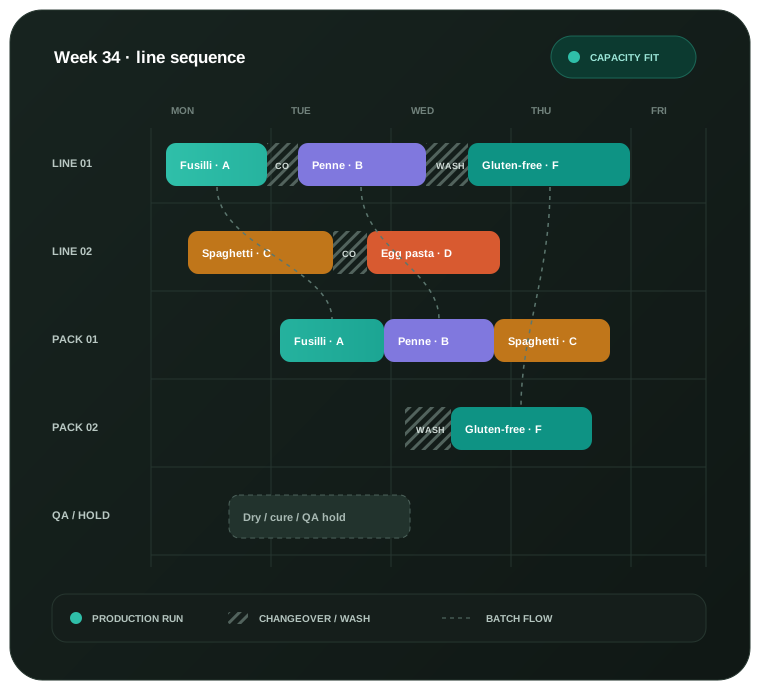
Place every approved batch on the right machine, in the right order and working window — while respecting cleaning, waiting time, downtime and work already committed.
Questions answered
Make the short-term sequence executable, not merely tidy.
Detailed scheduling takes the approved weekly batches and fits them into the reality of machines, shifts, cleaning and unexpected change.
Which machine should run each batch?
Place work only on machines that can make that product, using the time each machine actually needs.
What sequence loses the least time?
Group similar products, allow for cleaning and prevent combinations that must never follow one another.
When is the batch actually ready?
Follow work through mixing, resting, drying or packing, including the required wait between stages.
How do we recover when the week changes?
Keep completed and near-term work in place, then rebuild the rest around a delay or breakdown.
A schedule built for the floor
Make the week run more smoothly.
Start with the busiest production stage, then add connected equipment and material availability as the operation needs them.
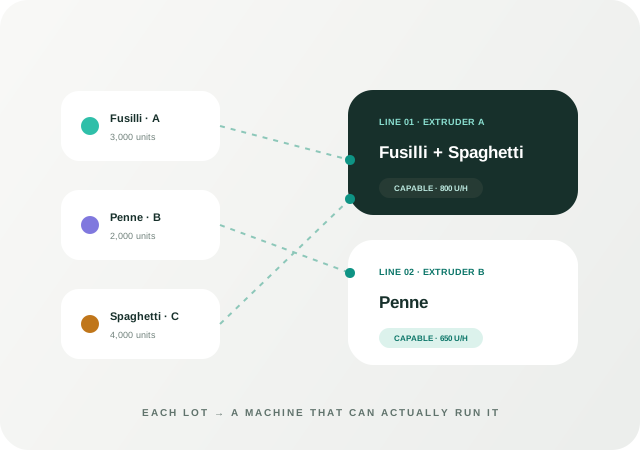
01 · Assign
Put each batch on the right machine and shift.
Use what each machine can make, how fast it runs and when it is available.
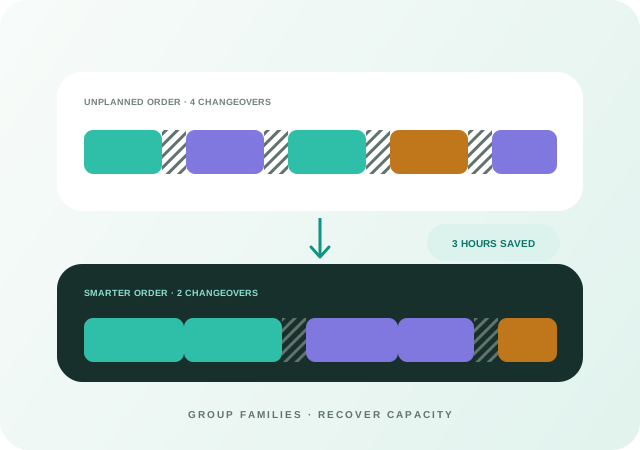
02 · Sequence
Group similar products and recover production time.
Put batches in an order that reduces cleaning, respects food-safety rules and avoids unsafe product changes.
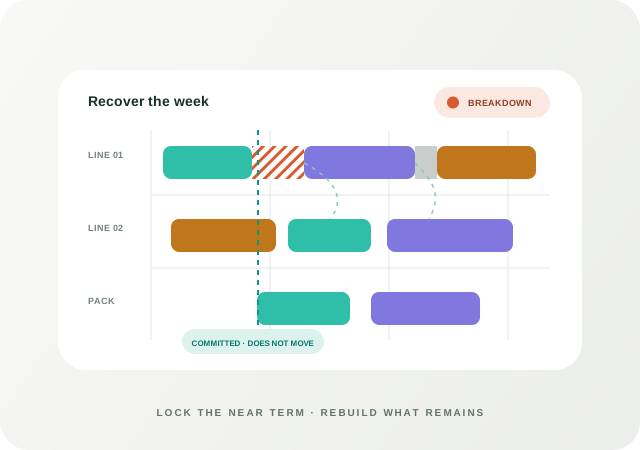
03 · Recover
Replan the future without rewriting the past.
Keep work already completed or about to start, then rebuild only what remains around delays and downtime.
The scheduling run
From approved batches to a week the floor can follow.
Create the schedule after the weekly plan, then update only when something important changes.
Read the approved production plan
Turn weekly quantities into batches with due dates and the stages they must follow.
Build the real working week
Include shifts, downtime, machine status, connected equipment and when materials will be ready.
Assign and sequence
Place each batch where it can run, prioritise due work and reduce avoidable cleaning.
Share and replan
Give the floor a clear visual schedule and keep near-term work steady when plans are refreshed.
Execution boundary
The weekly plan says what. Scheduling says exactly how.
Keeping these layers separate lets long-horizon production decisions remain stable while the short horizon adapts to the latest plant-floor reality.
Weekly planningWhat and how much by week across the full horizon.
Detailed schedulingWhich resource, what order and exactly when over roughly two weeks.
Execution controlLocks, actual completion, delays and downtime by exception.
Use your own lines
See your weekly lots sequenced.
Bring your machines, shifts, rates and setup families. We will show how the plan fits.